

The basket is already filled
Pick up to ten products and the quantity of each. When your customer taps the link, checkout opens with those items in the basket. All they add is their own details and where to deliver.
Kampe Checkout Links
A customer asks for the price. Pick the products, send one link, and they land on checkout with everything already in the basket, ready to pay with mobile money or cash on delivery.
Name
Only you see this. Customers see the products.
Products
Customers who open the link go straight to checkout with these items in their basket.
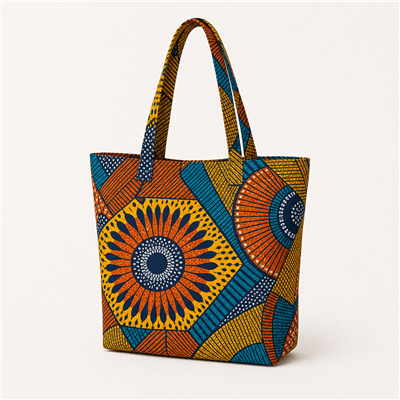
Kitenge tote bag
Large · UGX 85,000
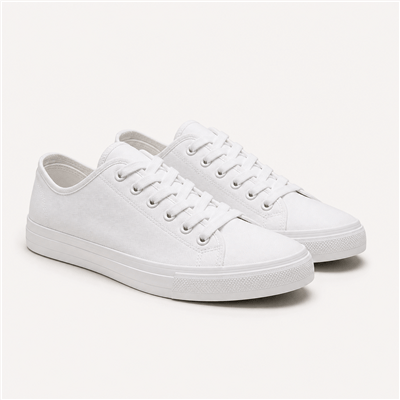
White canvas sneakers
Size 40 · UGX 120,000
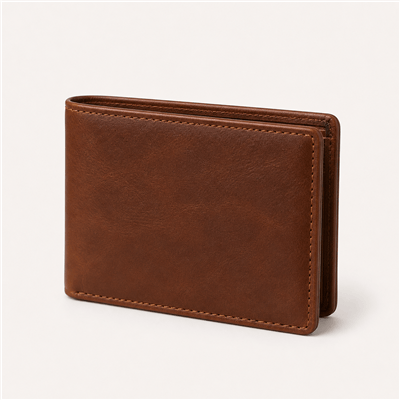
Leather wallet
Brown · UGX 55,000
Discount
Optional. Applied for the Customer at checkout automatically.
Share
Link
Short link
QR code
Sales
Most of your sales start with a message. A checkout link skips the back and forth over prices and mobile money numbers, so the customer pays while they still want it.
Pick up to ten products and the quantity of each. When your customer taps the link, checkout opens with those items in the basket. All they add is their own details and where to deliver.
Add one of your discount codes to the link, or create a new one on the spot. It is already applied when checkout opens, so nobody has to type a code.
Each link keeps count of its orders and the money they brought in, so you know which bundle to send again and which one to rethink.
No payment details to type out in a chat and no screenshots of prices. Build the basket once and send it to as many people as you like.
Put up to ten products in one link, each with its own quantity, and see the total before you send it.
Every link gets a short version that is easy to paste in a chat, your status, or your bio.
Download the QR code for a poster, a flyer, or the counter, and people scan straight into checkout.
Attach a discount code and it is applied when checkout opens, with nothing for the customer to type.
The link opens your store's own checkout, so customers pay with mobile money or cash on delivery as usual.
Orders from a link land in your orders with the rest, ready to pack and deliver.
Swap products or the discount after you send it. The same link opens the updated basket.
Checkout links come with every plan, Launch included, at no extra cost.
The things merchants ask before they send their first link.
It is a link to your store's checkout with the products already in the basket. You pick the items and quantities, and the customer only adds their details and pays.
Copy the link or the short link and paste it in a WhatsApp chat, a status, an Instagram DM, or an SMS. You can also print the QR code for people to scan.
Yes. Each person who opens it gets their own checkout, so one link can bring in many orders, and Kampe counts them all on the link.
They see a clear note that the link is no longer available and a way back to your store, so nobody pays for a basket you have taken down.
Every plan, Launch included. Compare the plans on the pricing page to see the fees and limits that come with each one.